
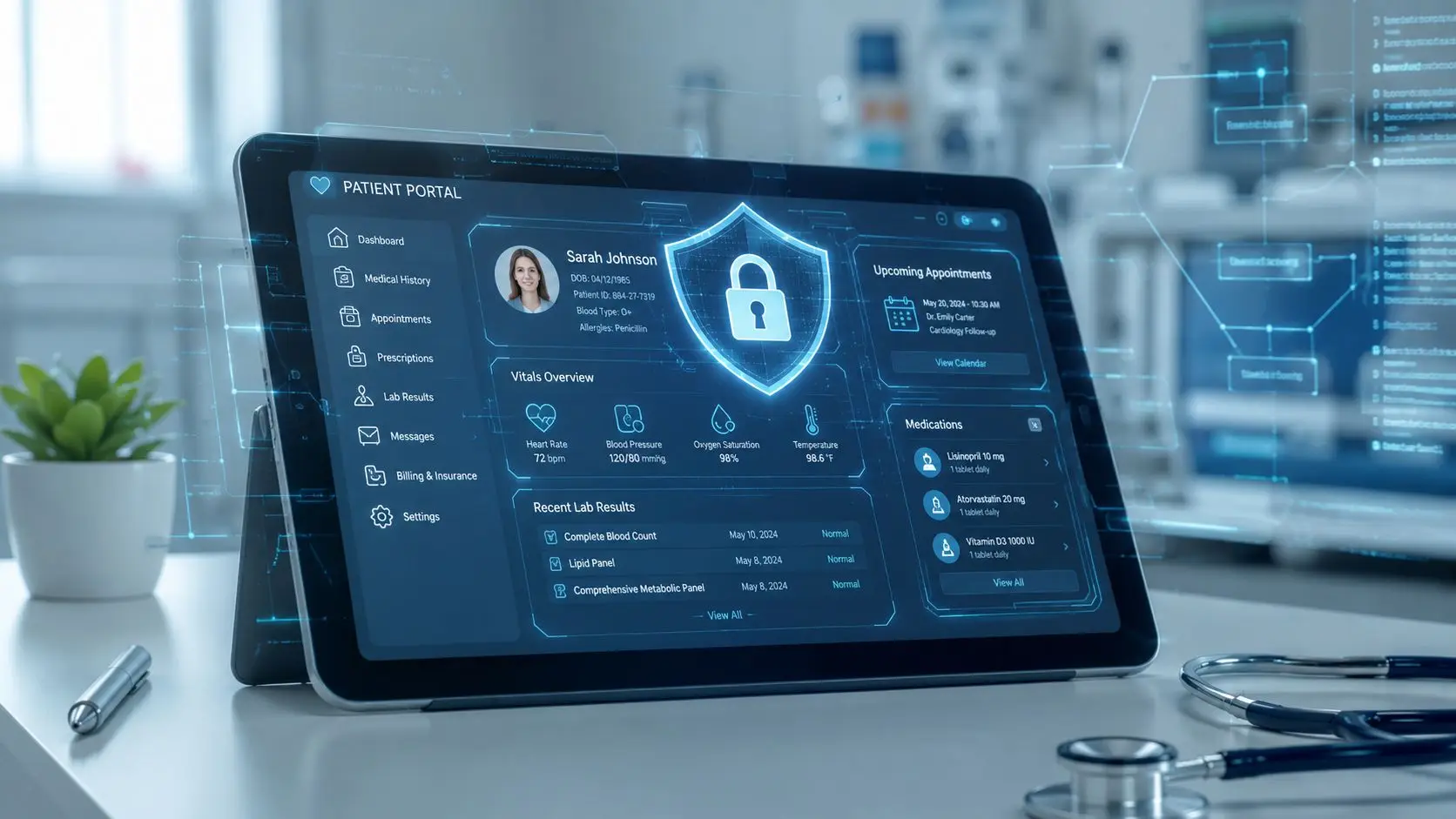
A hospital launches a new portal on Monday. By Friday, patient services is fielding calls about login issues, billing is asking why balances don't match, and compliance is trying to determine whether a tracking script on the portal exposed information it never should have touched.
That scenario is common because many teams treat the portal like a website feature. It isn't. A patient portal sits at the intersection of clinical data, revenue cycle, identity management, and regulated communications. One weak decision in any of those areas can create a HIPAA problem.
The pressure is bigger than one department. IT owns security controls. Compliance owns policy and breach response. Revenue cycle cares about statements and payments. Patient access cares about scheduling and usability. If those groups don't work from the same operating model, a portal can look polished and still fail the basic test of a HIPAA compliant patient portal.
A portal breach rarely starts with a dramatic failure. It usually starts with something ordinary. A generic analytics tag gets added during a website update. A staff member keeps broader access than needed after changing roles. A vendor says its environment is HIPAA-eligible, and everyone assumes that means the deployment is compliant.
Then the intensive work begins. Security has to investigate access history. Compliance has to determine whether protected health information was involved. Operations has to answer patient questions while legal and leadership decide what must be reported. Even when the issue is contained, trust takes the hit.
Patient expectations changed. By 2020, approximately 40% of Americans had interacted with a patient portal, representing a 13% increase from 2014 usage levels, and adoption doubled between 2014 and 2022, according to a National Institutes of Health publication summarizing HealthIT.gov and ONC data. Portals are no longer optional add-ons. They are part of normal care delivery, billing, and patient communication.
That's why HIPAA can't be treated as a procurement checkbox.
Practical rule: If a portal stores, displays, transmits, or routes PHI, compliance depends on how the organization configures it, governs it, monitors it, and contracts around it.
A portal that lets patients review lab results, send messages, schedule visits, and pay bills can improve access and reduce friction. The same portal can also create exposure if role-based access is loose, audit logs aren't reviewable, or incident response exists only on paper.
The safest mindset is simple. The portal is not a website project. It is a regulated operating environment.
A HIPAA compliant patient portal sits under three core HIPAA rules. Teams often know the names but not the day-to-day implications. The easiest way to understand them is to think in physical security terms.

The Privacy Rule works like a locked filing cabinet with strict rules about who may open it and why. In a portal, that affects what information is displayed, who can message about it, and how shared access is handled.
If a patient downloads records, sends a message about treatment, or asks a family member to help manage care, the organization needs clear rules for what can be disclosed and under what authority. Privacy is not only about stopping outsiders. It also covers limiting internal use and disclosure to what is appropriate.
Typical confusion shows up around convenience features. A team may want broad account-sharing options for caregivers, but without careful controls that can expose more PHI than intended. Privacy decisions must be deliberate, documented, and tied to user roles and consent workflows.
The Security Rule is the alarm system, badge reader, camera, and locked server room. It covers the safeguards that protect electronic protected health information.
That means the portal needs controls that preserve confidentiality, integrity, and availability. Authentication matters. Encryption matters. Logging matters. Session management matters. So does the hosting design. For teams reviewing infrastructure options, this 2026 HIPAA hosting guide is a useful reference because it frames hosting as part of a broader compliance posture rather than a stand-alone checkbox.
A practical example helps. If a patient logs in from a mobile device to review test results, the system should verify identity, encrypt the session, record access activity, and end the session automatically after inactivity. None of that is decorative. It is part of the compliance foundation.
The Breach Notification Rule is the mandatory fire drill. It governs what the organization must do after discovering a possible breach, including investigation, mitigation, and notification within required legal timeframes.
This rule matters because patient portals generate many small events that may become reportable incidents. A suspicious login pattern, an exposed file, a misrouted message, or an unauthorized integration all need a response path. Waiting to define that path until after an incident is where organizations lose time and create avoidable risk.
A portal is compliant only when legal, technical, and operational responses line up before the first incident occurs.
The result is straightforward. Privacy determines what should be shared. Security governs how it is protected. Breach notification dictates what happens if those protections fail.
A HIPAA compliant patient portal requires more than a secure login page. The underlying safeguards fall into three categories. Administrative, physical, and technical. The strongest programs treat all three as connected, not separate workstreams.

Administrative safeguards are the policies, decisions, and reviews that determine whether the portal is operated safely.
The baseline matters. Ensuring HIPAA compliance in patient portals requires specific measures including multi-factor authentication, AES-256 encryption, detailed access logs, and automatic log-off mechanisms, backed by regular risk analyses and real-time audit monitoring, as outlined in this HIPAA portal safeguard overview.
Those controls don't stay effective on their own. A hospital still needs to define who owns access approvals, who reviews logs, who signs off on integrations, and who leads breach response. The portal should also be covered by vendor agreements and internal procedures that reflect actual operations, not aspirational ones.
A simple administrative model often works best:
This matters in patient access workflows too. A scheduling experience may look harmless, but if a portal leaks appointment context or patient identity through poor design, it creates exposure. Teams working through front-end bottlenecks often benefit from process guidance on how to resolve patient scheduling bottlenecks without creating new privacy problems.
Physical safeguards sound old-fashioned until a lost laptop or unsecured workstation becomes the path to PHI.
If staff can administer the portal from nursing stations, remote offices, billing desks, or shared registration terminals, the organization needs device policies that match that reality. Screens must be protected from casual viewing. Access to systems that store or manage ePHI must be limited and monitored. Equipment disposal and workstation reassignment can't be ad hoc.
Physical safeguards also affect hosted environments and backup handling. If the organization uses a third-party environment, it still needs to understand how physical access to systems is restricted and documented. Outsourcing infrastructure does not outsource accountability.
Technical safeguards are where many teams focus first, and for good reason. They are visible, testable, and directly tied to system behavior.
One source of confusion is the difference between “encrypted” and “implemented correctly.” A HIPAA-compliant patient portal must enforce AES-256 encryption for ePHI at rest and TLS 1.3, with TLS 1.2 as the minimum, for data in transit, while immutable audit logs must be retained for a minimum of six years, according to this technical safeguard summary. The same source notes that key management should be handled through a dedicated KMS with automatic rotation.
In practice, technical safeguards should include:
For organizations evaluating broader secure software requirements across regulated workflows, this HIPAA compliant software resource can help connect portal controls to the larger communications environment.
Operational reality: A hospital doesn't fail compliance because it lacked a feature. It fails because no one verified how the feature was configured, monitored, and governed after go-live.
Most portals fail at the edges, not the center. The login page may be secure, but the trouble starts where the portal connects to the EHR, billing system, payment workflow, and patient communication channels.

EHR integration is mostly about controlled exchange of clinical information. Teams usually focus on whether results, medications, visit summaries, and messages sync correctly. They should also focus on whether each exchange is logged, encrypted, and limited to authorized use.
FHIR-based interoperability can make data movement cleaner, but it doesn't remove HIPAA obligations. If the portal displays lab results from the EHR, the organization still needs to know who accessed the record, whether the data was altered, and how identity was verified before release.
A common mistake is assuming the EHR's controls automatically extend to the portal. They often don't. The portal may introduce separate session logic, separate identity proofing, and separate audit events. Those need their own review.
Payment integration adds another regulated layer. HIPAA covers PHI. PCI-DSS governs cardholder data. A portal that allows bill pay, payment plans, or stored payment methods sits inside both compliance conversations.
That means healthcare organizations should separate data responsibilities carefully. The patient needs a smooth billing experience, but the architecture should avoid unnecessary card data exposure inside the healthcare environment. Tokenization, secure transaction routing, and tightly scoped workflows reduce risk.
For teams building that bridge between patient engagement and payment operations, this healthcare payment system login resource is useful because it highlights the workflow reality of authenticated payments in healthcare settings.
The analytics trap is where many otherwise sound portal projects go off course. A growing content gap is the analytics trap. Embedding standard tracking tools in portals can expose PHI, and few guides warn that zero-trust architectures and phishing-resistant FIDO2 keys are now recommended over SMS MFA, as discussed in this patient portal development analysis.
That issue gets worse during integration work. Marketing wants funnel visibility. Patient access wants abandonment data. Revenue cycle wants payment conversion metrics. If teams solve those needs by dropping ordinary web analytics into authenticated portal pages, they may expose information connected to treatment, appointments, or billing.
A better approach is controlled telemetry. Capture operational events in a governed way, strip or avoid PHI where possible, and keep analytics decisions under the same review discipline as identity and access decisions.
A portal can have strong encryption and still create compliance risk if it sends the wrong metadata to the wrong downstream system.
Buying a portal is easy. Buying one that can survive legal review, security review, operational reality, and post-launch drift is harder.

Many buyer guides stay too narrow. Most buyer guides focus 90% on encryption specifications and ignore that compliance depends on deployment configuration, BAAs, and documented risk-analysis policies, leaving many vulnerable despite using HIPAA-eligible tools, as noted in this buyer guide critique.
That should change the evaluation process immediately. A hospital should not ask only, “Does the portal support encryption?” It should ask, “Who configures access rules, where is that documented, how is logging made immutable, and what happens when a customer wants to add a new integration or script?”
A practical scorecard should cover these areas:
| Evaluation area | What to confirm |
|---|---|
| BAA readiness | The vendor will sign appropriate agreements and define responsibilities clearly |
| Configuration governance | The deployment model includes documented controls, change management, and admin boundaries |
| Audit log integrity | Logs are detailed, reviewable, and protected from tampering |
| Key management | Encryption keys are managed with clear rotation and control processes |
| Incident response | The vendor has a tested process for detection, escalation, mitigation, and customer notification |
| Access control | Role-based access and strong authentication are supported and operationally usable |
Feature walkthroughs can hide governance gaps. Direct questions usually reveal them fast.
For teams comparing portal capabilities to broader customer service workflows, this call center CRM software resource is helpful because it shows how customer data, communications, and regulated workflows often overlap in real environments.
Strong vendors tend to make governance visible. They document administrative roles. They define logging behavior clearly. They don't hide behind generic “secure by design” language. They can explain how their system behaves when a patient message, payment event, scheduling action, and account recovery request all happen in the same session.
That clarity matters more than polished demos. Compliance depends on repeatable operations, not product theater.
A clean rollout starts long before patients receive invite emails. The safest implementations move in phases, with named owners and clear stop points if controls are incomplete.
First, map the data. The organization should document what PHI the portal will display, what messages it will allow, what payment functions it will expose, and what systems it will connect to.
At this stage, the compliance officer, security lead, portal owner, revenue cycle lead, and patient access lead should all participate. If one group is absent, key risks usually get missed. Billing may know about statement workflows that IT hasn't mapped. Patient access may know where proxy access requests create confusion. Compliance may identify disclosure scenarios that product teams overlooked.
Core deliverables in this phase include:
Next, configure controls before styling screens. Teams should establish authentication, access control, encryption settings, session timeouts, audit logging, and alerting before polishing front-end details.
This is also where policy and system design need to match. If the policy says only designated teams may access certain portal messages, the role design should enforce that. If the breach process requires security review of suspicious access events, the logging and alerting design must support that review.
A practical build checklist often includes:
The fastest way to delay go-live is to discover during testing that policy language and system behavior don't match.
Then test the messy scenarios. Straight-line testing is not enough. Hospitals should test failed logins, password resets, delegated access, duplicate patient accounts, payment posting exceptions, and message escalation workflows.
User acceptance testing should involve actual operational teams, not just IT. Registration staff, clinical support, billing, compliance, and security all see different failure points. A patient portal that works in a lab may still break under normal patient behavior.
Useful testing scenarios include a patient changing an email address, a proxy requesting access, a balance update arriving late from billing, and a suspicious login pattern requiring investigation. Those are the moments that expose whether the operating model is ready.
Finally, launch with monitoring already active. Go-live is not the finish line. It is the start of live compliance operations.
The organization should begin with active log review, documented escalation paths, and a tested breach response process. Staff should know who handles patient complaints about access, who investigates anomalous activity, and who approves urgent configuration changes.
A short post-launch checklist keeps control in place:
Most portal compliance failures are predictable. They happen when teams prioritize speed, convenience, or fragmented ownership over disciplined controls.
SMS-only MFA still appears in too many deployments because it feels easy for patients. The problem is that ease and resilience are not the same thing. If the organization has stronger authentication options available, especially phishing-resistant methods for higher-risk workflows, those options should be part of the design discussion early.
The same issue appears in account recovery. A weak password reset flow can undermine a strong login flow in one step. Security teams should test recovery paths with the same seriousness as first-time sign-in.
The analytics trap deserves special attention because it often arrives through ordinary website governance, not security governance. A portal team wants engagement insights. A digital team adds a script. Nobody asks whether authenticated page activity includes PHI context.
That is how organizations create risk while believing the portal itself is secure.
Compliance breaks at handoffs. The portal team may lock down the application while another team quietly opens a side door through analytics, chat widgets, or embedded forms.
Corrective action is straightforward. Treat any script, tag, pixel, or embedded component in the portal as a regulated change. Review it for PHI exposure risk before release. If the organization can't clearly explain what data leaves the portal through that component, it shouldn't go live.
Portals often start strong and weaken over time. Staff roles change. BAAs sit untouched. Access reviews get postponed. Encryption keys are left on old schedules. Training gets compressed into onboarding and never repeated.
That drift is operational, not technical. The fix is recurring ownership. Someone must review permissions, vendor obligations, logging health, and incident procedures on a schedule. If no one owns that cycle, the portal will slowly move out of alignment even if the original launch was solid.
A HIPAA compliant patient portal stays compliant through routine operating discipline. The checklist below works best when tied into the organization's IT service management, compliance review, and security monitoring processes.
Use the checklist as evidence, not just memory. Each task should leave a record showing what was reviewed, what changed, who approved it, and whether remediation was needed. That documentation becomes valuable during internal audits, incident investigations, and vendor reviews.
| Task | Frequency | Owner |
|---|---|---|
| Review user access and role assignments | Monthly | IT security and application owner |
| Analyze audit logs for anomalous access or privileged activity | Monthly | Security operations |
| Validate portal configuration changes and added integrations | Monthly | Application owner and compliance |
| Reconfirm session management, authentication settings, and automatic log-off behavior | Quarterly | IT security |
| Perform formal risk analysis updates for portal workflows | Quarterly | Compliance and security leadership |
| Review file upload controls, malware scanning, and input validation settings | Quarterly | Security engineering |
| Test incident escalation and breach notification workflows | Quarterly | Compliance officer and incident response lead |
| Reassess vendor obligations, BAAs, and shared responsibility boundaries | Annually | Legal, procurement, and compliance |
| Re-train staff who administer or support the portal | Annually | Compliance and department leadership |
| Review patient-facing content for privacy, consent, and support accuracy | Annually | Patient access, compliance, and portal owner |
Teams that operationalize this work usually avoid the most damaging surprises. They don't rely on the original implementation team's memory. They build a recurring control system around the portal and treat every integration, permission change, and workflow adjustment as part of compliance.
Organizations that need compliant communication and payment workflows in one environment can turn to Intelligent Contacts. Intelligent Contacts is a unified contact center and payments platform built in-house for regulated industries, including healthcare revenue cycle, ARM, financial services, insurance, government, and utilities. Its core strength is bringing communication and payment into one workflow, with clear integration paths and implementation in days, not weeks. For teams evaluating patient billing, outreach, and self-service payment operations alongside HIPAA and PCI-DSS requirements, Schedule a Demo or See Your ROI. Contact Intelligent Contacts at sales@intelligentcontacts.com or call 888-797-0970.