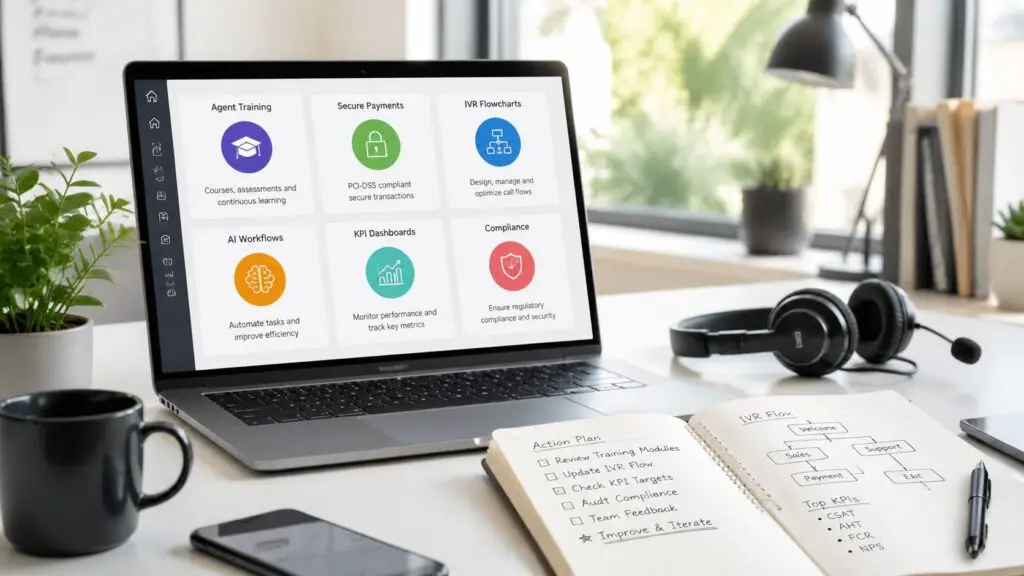

A lot of regulated contact centers are still running on a stack that was never designed as a system.
Agents call from one application. They verify identity in another. They take payments in a separate workflow. Text messages come from a different vendor. Reporting lives in spreadsheets because no single platform can show the full path from outreach to resolution. When a consumer disputes a contact, misses a payment, or asks for a written confirmation, the operation slows down while teams piece together what happened.
That setup creates more than inconvenience. It creates workflow breaks, audit gaps, and revenue leakage.
For leaders searching what is CCaaS, the usual answers focus on cloud convenience and customer service flexibility. Those things matter. But in collections, healthcare revenue cycle, financial services, insurance, government, and utilities, the key question is different. It's whether the platform helps the business contact people, document the interaction, collect securely, and stay inside the rules of TCPA, HIPAA, PCI-DSS, FDCPA, and FCRA.
Most legacy environments aren't one platform. They're a chain of vendor agreements.
One contract covers telephony. Another covers dialer functions. Another handles text delivery. Payments sit elsewhere. The CRM may or may not sync in real time. An IVR provider manages menus and authentication. Every change request touches multiple parties, and every outage turns into finger-pointing.
That fragmentation shows up in daily operations. An agent finishes a call and has to alt-tab into a payment tool. A supervisor wants to know whether a payment promise matched the final outcome, but the call record and the payment record don't live together. Compliance wants a clean audit trail, but the proof sits across disconnected systems.
A regulated contact center doesn't just need communications. It needs controlled workflows.
Operational reality: Every handoff between systems is a point where a payment can fail, a disclosure can be missed, or a record can become incomplete.
That's why the modern alternative matters. CCaaS is often introduced as a cloud contact center model, which is true, but that definition by itself is too thin for high-stakes operations. In a regulated environment, the value of CCaaS isn't that it sounds modern. The value is whether it replaces a fragile stack with a managed operating layer that can support communications, controls, and outcomes together.
CCaaS stands for Contact Center as a Service. In practical terms, it's a cloud-native delivery model that lets organizations manage customer interactions across voice, chat, email, SMS, and social media from a single subscription-based platform, replacing traditional on-premises call center software with vendor-managed infrastructure and updates, as outlined in this CCaaS definition.
That's the formal definition. The operational definition is simpler. The business stops owning the core contact center infrastructure and starts consuming it as a service.

With on-premises technology, the organization buys and maintains the environment. IT handles upgrades, hardware lifecycle, redundancy planning, and a long list of dependencies. With CCaaS, the provider manages the underlying platform, and the organization configures how it wants interactions, routing, reporting, and workflows to operate.
That shift matters because the platform can expand or contract without the business buying hardware. It also changes how updates happen. New capabilities arrive through the service model instead of through long upgrade cycles.
For teams planning remote or distributed operations, a practical resource is this virtual call center deployment guide, which helps frame the infrastructure and workforce considerations that sit around the platform decision itself.
The wrong question is “Is it cloud?”
The right questions are closer to these:
For contact centers that depend on account-level context, the CRM connection is often where success or failure starts. That's why many teams evaluating what is CCaaS also end up reviewing how CRM call centre software fits into the workflow, not as an add-on, but as part of the operating model.
A cloud subscription by itself doesn't fix a broken process. It only helps when the platform removes friction instead of relocating it.
A real CCaaS platform isn't just hosted telephony. It combines the functions a contact center needs to run at scale. That's part of why Gartner projects CCaaS will become the preferred adoption model for 50% of contact centers in the coming years, tied to the ability to unify call routing, IVR, workforce tools, analytics, and AI within one system, as cited in this industry summary.
Routing is the traffic control layer. It determines who gets what interaction, when, and with what context.
In regulated environments, this isn't just about convenience. A customer may start with an SMS reminder, move to a live call, and then need a documented follow-up. If those channels don't share context, agents repeat steps, disclosures get inconsistent, and resolution takes longer.
A useful IVR doesn't just sort callers into generic queues. It can support identification steps, self-service paths, and routing based on account status or workflow rules.
That matters when the operation needs to separate billing questions from disputes, payment activity from hardship discussions, or routine balance inquiries from higher-risk interactions that require a trained agent.
Reporting should connect action to outcome. Modern CCaaS platforms provide visibility into queue behavior, agent performance, and channel activity from one environment.
Without that, operations end up managing by anecdote. One dashboard says messages were sent. Another says calls connected. A third says payments posted. Leadership still can't see which communication path is working.
Some automation is useful. Some is noise.
Practical rule: If a vendor treats workforce tools, automation, and routing as separate conversations, the buyer should assume implementation complexity will surface later.
A modern platform should make those functions feel native to one operation, not stitched together after procurement.
These terms get mixed together all the time, and that creates bad buying decisions.
On-premises means the organization owns and manages the infrastructure. UCaaS focuses on internal business communication. CCaaS is built for customer-facing interaction management, especially high-volume environments with queues, routing, performance controls, and external engagement workflows.
A defining technical characteristic of CCaaS is the use of microservices, APIs, and real-time analytics to decouple contact handling from fixed hardware constraints. That enables elastic scaling during demand spikes and deeper integration with CRMs and business systems, as described in this technical overview.

| Model | Best fit | Strength | Limitation |
|---|---|---|---|
| CCaaS | Customer-facing contact operations | Flexible delivery and contact-center-specific workflow | Quality depends heavily on platform design and integration depth |
| On-premises | Organizations that need direct infrastructure control | High control over environment and change timing | Slower updates, heavier IT burden, harder scaling |
| UCaaS | Internal employee collaboration | Strong for messaging, meetings, and team communication | Not built around external queues, collections flows, or payment-centered service |
A lot of buyers assume UCaaS can stretch into contact center work because it includes voice and messaging. That's usually where the gap starts. Internal collaboration tools don't automatically translate into outbound campaign controls, queue management, account-based routing, or documented customer interaction workflows.
On-premises systems create a different problem. They can offer control, but they often lock the business into slow change cycles. Seasonal demand, policy changes, and workflow adjustments become IT projects instead of operational decisions.
“The best model is the one that matches the actual workflow. If the operation lives on queues, rules, records, and outcomes, it needs a contact center platform, not a general communications tool.”
For leaders evaluating what is CCaaS, the right comparison isn't cloud versus not-cloud. It's whether the operating model aligns with how the business contacts, resolves, and documents customer interactions.
Often, many generic CCaaS conversations fall apart.
Most market explainers frame CCaaS around flexibility and scalability. That's accurate, but incomplete. They don't spend enough time on the harder buyer question: when regulated organizations need a platform designed end-to-end for communications and payments, not just a general-purpose contact stack. That gap is called out in this contact center definition page.

A platform built for broad customer service use may be fine for simple support queues. It may not be enough for collections, patient billing, consumer finance, or insurance payment workflows.
The risk usually appears at the payment handoff.
An agent reaches the right person, confirms details, and gets agreement to pay. Then the workflow leaves the platform. The consumer is transferred to a separate payment channel or sent to another interface. The communication record and the payment record split apart. The agent can't always see completion in real time. Suppression rules may lag. Audit reconstruction becomes harder than it should be.
Regulated teams don't need vague assurances. They need workflows that respect actual rules.
A fragmented stack makes each of those obligations harder to manage because control is distributed across systems that weren't built together.
Separate communication and payment systems often force the business to manage compliance through policy alone. That's weak protection. The safer approach is workflow-level control.
Teams looking closely at this issue usually end up evaluating the role of embedded payment processing in the contact center, because that architectural decision affects auditability, agent efficiency, and post-payment workflow control more than most feature lists admit.
The safer design is a unified workflow where communication, agent action, self-service, and payment status live in one operational record. That doesn't remove compliance responsibility. It does make the environment more governable.
In regulated operations, governance beats convenience every time.
Feature checklists are where a lot of evaluations go wrong. A vendor can show voice, SMS, analytics, and automation on a slide. That doesn't mean the platform will hold up under a real regulated workflow.
The better approach is to test the operating model, the architecture, and the implementation path.
Start with architecture. Is the platform unified, or is it a reseller stack assembled from separate products? That matters because support, data flow, and issue resolution get harder when core functions sit across acquired or third-party layers.
Then move to controls.
A useful shortlist should also include providers with a clear point of view on regulated operations, not just broad customer service use. Teams comparing options often start with a review of different contact center providers and then narrow the field based on workflow fit rather than headline features.
Implementations fail when leaders treat migration like a switch flip. It's usually a sequence.
Selection advice: If a provider can't explain the implementation path in plain language, the buyer should assume complexity is being hidden, not removed.
The goal isn't a fast launch for its own sake. The goal is a stable launch that operations, compliance, and finance can all trust.
The value of CCaaS becomes obvious when it's tied to operational outcomes instead of generic service language.
In ARM and collections, the platform has to support outreach, account context, payment resolution, and defensible records in one motion. In healthcare revenue cycle, it has to connect billing communication with patient payment options and privacy controls. In financial services and insurance, it has to support high-volume engagement without losing control over documentation and regulated workflows.

An agency running outbound campaigns needs more than dialer capacity. It needs the right account data in front of the agent, documented contact outcomes, self-service paths for routine payments, and clear post-payment workflow updates.
If the system handles contact but not resolution, agents spend too much time bridging gaps manually.
Patient billing teams often deal with a mix of reminders, inbound balance questions, payment plans, and follow-up communications. A disconnected stack turns each step into a separate event. A more unified model makes it easier to guide a patient from message to payment without forcing repeated identity, account, or balance checks.
These organizations often have strict process requirements and a low tolerance for incomplete records. They need routing logic, channel controls, and documented outcomes that can stand up to internal review, customer dispute, and regulatory scrutiny.
A lot of teams still judge the platform with generic service metrics alone. That's incomplete.
The more useful scorecard includes:
The best contact centers don't just move interactions faster. They reduce the distance between conversation and outcome.
For organizations under compliance pressure, that's the definitive answer to what is CCaaS. It's not just cloud software for customer contact. It's the operating layer that either strengthens or weakens revenue execution, audit readiness, and payment control.
Intelligent Contacts is built for organizations that can't afford a disconnect between communication, compliance, and payment workflows. For collections, healthcare, financial services, insurance, government, and utilities, it brings voice, SMS, email, chat, and payments into one in-house platform with clear integration paths and implementation in days, not weeks. To evaluate fit, Schedule a Demo with Intelligent Contacts or See Your ROI with Intelligent Contacts. The team can also be reached directly at (800) 419-7535.