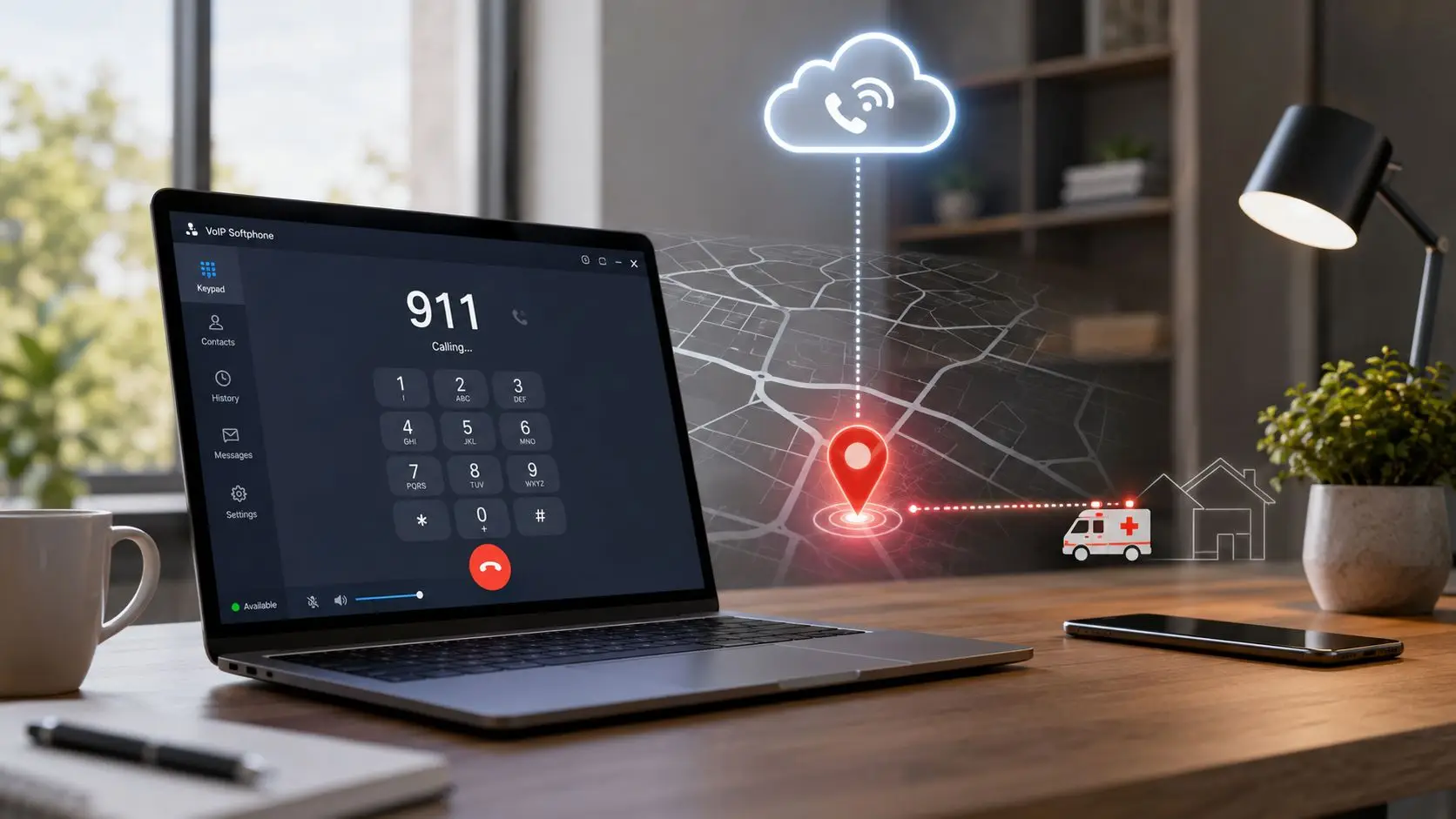
A lot of operations leaders are carrying an E911 problem without realizing it. The phones work, the softphones register, the remote agents log in, and 911 looks like a box that was checked during deployment.
Then someone asks the only question that matters. If a home-based agent has a medical emergency and dials 911 from the company VoIP client, where do responders go?
That question exposes the gap between having voice service and having an E911 VoIP service that works under pressure. In regulated environments such as collections, healthcare revenue cycle, financial services, insurance, government, and utilities, that gap isn't just a telecom issue. It's a life-safety, compliance, and operational risk issue.
The old 911 model assumed a phone line lived at one physical address. That worked when the handset on the desk and the copper line in the wall never moved. It doesn't work when agents use softphones, shared devices, hot desks, branch offices, and home networks.
That mismatch is now the norm, not the exception. Approximately 240 million calls are made to 9-1-1 annually in the United States, and in many U.S. regions, 80% or more of those calls originate from wireless devices or VoIP-enabled connections, not traditional landlines. That shift made legacy 911 systems inadequate for locating callers and turned E911 into a mandatory infrastructure requirement.
A remote collector logs in from home. Their profile still carries the main office address from onboarding. They call 911 from the desktop app. The dispatcher gets a callback number, but the location record points to headquarters.
A healthcare billing team member hot-desks between floors in a large building. The extension is active, but the location detail is broad, not dispatchable. Responders may reach the building and still lose time finding the person.
A utility contact center shares devices across shifts. One employee updates a profile. The next employee uses the same endpoint from a different workspace. Nobody checks whether the emergency location followed the user, the device, or neither.
Practical rule: If the answer to “where will responders go?” depends on assumptions, the process is broken.
For teams that need a plain-English refresher on how internet calling differs from legacy telephony, this VoIP vs landline phone service comparison is useful background. The key takeaway is simple. VoIP gives flexibility by separating voice service from a fixed circuit. That same flexibility creates emergency location risk unless the business manages it deliberately.
Legal, IT, telecom, facilities, and compliance all touch E911. Operations still ends up owning the failure when the process falls apart.
That's because E911 isn't just a network setting. It sits inside onboarding, provisioning, seat moves, remote work policies, business continuity planning, and employee training. If any one of those breaks, the emergency workflow breaks with it.
The Federal Communications Commission doesn't expect businesses to “generally know” where a caller is. It expects emergency systems to provide responders with usable location information automatically.
For VoIP and multi-line environments, the core requirement is dispatchable location. That means more than a street address. It includes the details responders need to find a person inside a building, such as floor, room, or suite, where applicable.

The FCC's Report and Order requires that Multi-Line Telephone Systems and interconnected VoIP providers automatically provide the PSAP with a dispatchable location, including granular data like room numbers and floor levels. That requirement exists because getting responders to the right building isn't enough if the caller is buried inside a large office, hospital, campus, or government facility.
For an operations leader, that translates into three direct obligations:
If a service lets users place and receive calls over internet-based voice in a way that connects with the public phone network, it falls into the territory where E911 obligations matter. Most business cloud voice deployments fit that operational profile.
That's why a basic rollout guide for hosted VoIP phone systems for business can be useful for context, but it won't solve compliance by itself. A phone system can be modern, flexible, and feature-rich while still failing at emergency location handling.
A business phone deployment is not compliant just because users can dial out and receive calls. Emergency routing and dispatchable location have their own operational discipline.
A short checklist cuts through the jargon fast:
| Question | Why it matters |
|---|---|
| Can every user be tied to a dispatchable location? | Broad addresses create responder delays. |
| How are floor, suite, or room details stored? | Building-level data often isn't enough. |
| What happens when a user changes location? | Static records go stale quickly. |
| What does the dispatcher actually receive? | This reveals whether the process is real or assumed. |
If those answers are vague, the E911 setup probably is too.
Most organizations struggle here. Not with the rule itself, but with the day-to-day work of keeping emergency location data accurate when the workforce moves.
For interconnected VoIP, FCC rules require every subscriber's Registered Location to be collected before service activation, kept up to date, and made available to the appropriate PSAP through the ALI or wireline E911 network. Providers must also offer at least one end-user method to update that location using the same VoIP equipment. That requirement matters most in distributed environments, where stale address data can send responders to the wrong place, as outlined in the FCC E911 summary at Experience Mosaic's breakdown of Registered Location requirements.

A fixed desk phone in a permanent office is straightforward. The number, endpoint, and dispatchable location are provisioned once, then reviewed when facilities changes happen.
Even there, mistakes still show up. Floor numbering changes. Departments relocate. Temporary swing space becomes permanent. Someone assumes the E911 record updated because the phone system record updated, and those aren't always the same workflow.
Remote agents, supervisors who move between offices, and shared workspaces create constant drift between a user's actual location and the registered one.
The practical split looks like this:
The most common E911 failure isn't usually a broken phone system. It's a location record that used to be correct.
Strong teams don't treat E911 location work as a one-time provisioning task. They build it into operations.
A workable model usually includes:
Address collection during onboarding
The registered location is captured before service turns on. For remote staff, that means the actual work location, not the corporate mailing address.
Validation before activation
If the address can't be recognized as dispatchable, the user shouldn't go live until it's corrected.
An update method employees can use
If location changes require a ticket, approval chain, and telecom admin intervention, records will stay wrong too long.
Event-based review
Office moves, role changes, seasonal remote work, and hardware swaps should trigger location review automatically.
Ownership by named teams
HR, IT, facilities, and operations each touch part of the record. If nobody owns the complete workflow, nobody catches drift.
What fails is familiar.
A spreadsheet maintained by one administrator. A static address assigned to a roaming user. A generic branch address tied to every extension on a floor. A softphone rollout that assumes users will update their location because a policy says they should.
Those setups often look fine until an emergency call tests them.
When a user dials 911 from a VoIP endpoint, several systems have to work together fast and correctly. If one handoff is weak, the call may still connect, but the location data can be wrong, incomplete, or routed through a less direct path.
At a high level, the call starts on the user's device, moves through the organization's voice environment, gets matched to the emergency location record, and then routes toward the geographically correct public safety answering point. That only sounds simple because the hard work happened earlier in provisioning and validation.
A reliable emergency call flow usually depends on four pieces being aligned:
For leaders who think in terms of infrastructure rather than telecom labels, this is really a question of telephony and data connectivity. Voice signaling, application logic, and location records all depend on the same broader communications environment being stable and correctly configured.
When the backend is working, the dispatcher sees the caller's callback number and the dispatchable location that was provisioned for that user or device. That's the outcome the business wants. It reduces guesswork when the caller can't speak clearly, disconnects, or is in a large facility.
A failed path looks different. The call reaches an intermediary, location data is missing or stale, and somebody has to verbally sort out where the emergency is happening. In the worst case, that delay lands entirely on the caller.
The same principle shows up in other voice workflows. Routing only works when the system has accurate context at the moment of the call, which is why smart call routing matters operationally beyond customer service use cases.
A 911 call is the harshest possible test of data quality. The system doesn't get credit for being mostly right.
Most E911 content stops at a single registered address. That's not where the trouble is. The trouble starts when a business has multiple sites, remote staff, shared devices, and compliance obligations that already stretch operations thin.
A key question for multi-site organizations isn't just whether a VoIP line is compliant. It's what happens when a caller is at a location that is not their registered address. E911 is an ongoing location-management process, and incidents are often caused by stale user and location records in distributed teams, as noted in BCM One's discussion of E911 basics in hybrid environments.

In a contact center, users don't behave like static office workers.
A healthcare system may have billing teams at a main campus, smaller clinics, and home offices. A collections agency may shift staff between branch sites and remote work based on call volume. A government service desk may rely on shared workstations and temporary overflow teams during events or crises.
Those environments create repeated points of failure:
The danger isn't only bad data. It's split ownership.
One system may manage user profiles. Another handles dial plans. Another stores site information. Another layer adds emergency routing. Each one may be “correct” on its own terms while the full emergency workflow is wrong.
That's why geographic logic matters beyond outbound efficiency or customer experience. If a platform already understands where work should be handled based on location, capacity, or jurisdiction, it's easier to enforce consistency in emergency workflows too. The same operational mindset appears in geographic call routing for customer service, where location context drives correct call handling.
The best-run deployments tie emergency location control to the same operational events that already drive workforce changes.
They review location status when:
In distributed contact centers, E911 isn't a phone feature. It's a data-governance problem with life-safety consequences.
That's the operational reality many teams miss. If E911 is managed as a side configuration rather than a living business process, the records will drift.
A compliant setup on paper doesn't mean much if nobody verifies what happens in the live environment. E911 has to be tested like any other critical control.
That includes call behavior, location accuracy, role-based process ownership, and failure handling when the network isn't available. Teams that skip testing usually discover problems only after a move, a platform change, or a real emergency.

Many organizations use a non-emergency test mechanism such as 933, where available through their provider, to confirm that the system reads back the registered emergency address instead of placing a live 911 call. The exact testing method depends on the voice environment and provider arrangement, but the principle is the same. Validate before an incident forces validation for you.
A practical testing routine should include:
A critical but often overlooked risk is E911 reliability during internet or power disruptions. FCC rules require VoIP providers to warn customers about these limitations, which makes resilience planning, alternate routing, and clear employee instructions essential for operational readiness, not just regulatory checklists, as explained in Pure IP's overview of E911 compliance and outage risk.
A perfect address record is unhelpful if the user cannot place the call through the VoIP system at all.
A short audit catches a lot:
| Failure point | What usually causes it |
|---|---|
| Stale home-office address | No update process after remote work changes |
| Wrong office detail | Facilities move not tied to telecom update |
| Shared device mismatch | Endpoint location left attached to prior user |
| Softphone issue | App installed without emergency configuration review |
| Outage confusion | Staff don't know the backup calling method |
The broader control framework should sit with the rest of the organization's risk and compliance posture. For regulated operations, that means E911 shouldn't live in isolation from security review, change management, and documented controls, especially where communications platforms already sit inside audited environments such as security and compliance governance.
Employees need simple instructions for what to do if the VoIP client is unavailable. In many environments, the backup path is a mobile phone. In some facilities, it may include designated alternate devices or local emergency procedures.
What matters is clarity. If an employee has to guess whether to restart the app, switch networks, or use another device, the plan is too vague.
The hardest part of E911 isn't understanding the rule. It's keeping location, identity, routing, and operational ownership aligned when the workforce is distributed and the communications stack is under constant change.
That's where a unified platform matters. Intelligent Contacts brings communications and workflow control into one system, built in-house rather than patched together from a reseller stack. For organizations under pressure from TCPA, HIPAA, PCI-DSS, FDCPA, and FCRA obligations, that architecture reduces the kind of fragmentation that causes emergency location records to drift out of sync with actual operations.
Because voice, user management, routing, and related workflows live together, E911 processes are easier to govern. A location change doesn't have to pass through disconnected systems and manual workarounds. That's especially important for contact centers with remote agents, multi-site teams, shared devices, and rapid onboarding needs.
The operational value is straightforward:
For collections, healthcare revenue cycle, financial services, insurance, government, and utilities, E911 can't be treated as a telecom footnote. It has to work as part of the daily operating model.
If E911 is becoming a risk item in the current voice environment, Intelligent Contacts can help simplify the workflow with a unified contact center and payments platform built for regulated organizations. To review deployment options, Schedule a Demo or See Your ROI. For direct inquiries, contact Intelligent Contacts through the website contact form or the main business line listed on the site.